#prisoner106: Better Philately Than Never
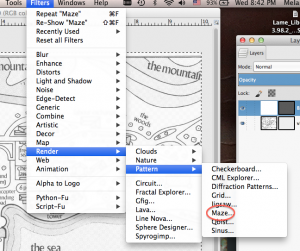
Spent an amazingly productive evening at home: made bread, yogurt, put away laundry, watched the episode “Living in Harmony,” AND learned how to really use layers in GIMP. I thought I was going to be cute and make actual postage stamps at a number of sites that allow you to actually upload art and make real postage. That was funny. Zazzle sent me an email and asked “What does ‘Questions are a burden to others’ mean and why would you want it on a stamp?” I tried to play cute and said that it was ironically satyrical or something like that. In the end, they decided that it was a copyright issue, but I was impressed that it was a philosophical or political issue first. So that means I am making my own based on my experiences in the course. I have been using GIMP for years (Gnu Image Manipulation Program) but only for quick edits and resizes – I rarely go under the hood for anything which is why I am in this class. I like GIMP because it is open source. I also can’t stand what a resource hog everything Adobe is.
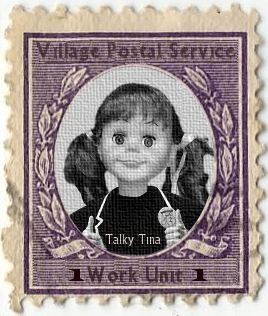
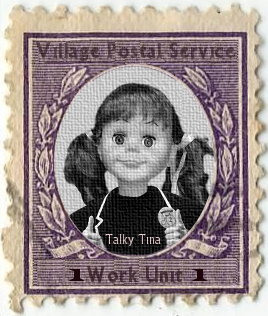
I found a vintage postage stamp that I liked and removed the text from it by cutting and pasting a selection from the stamp. I used the Village font and made that layer 40% opaque to pick up the texture in the layer beneath. I yoinked a picture of Talky Tina from her blog, resized it, drag and dropped it into a layer and applied the “Canvas” filter to it, and made it black and white. In the future, I will try to match the dark purple I think. Any way, I learned a lot about GIMP tonight.
The first stamp is a “Talky Tina” stamp (first issue, exceedingly rare). It costs only one work-unit, and as with all the postage stamps I will be issuing in the Village, they are for local delivery only. Collect them all. Be seeing you.