
Assignments | Bovine County Fairy Tale Festival | burgeron106 | Burgeron15 | ds106 | prisoner106 | summer2015 | Visual | VisualAssignments
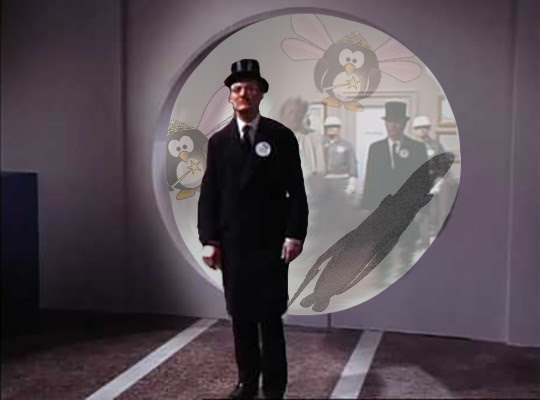
#2 in General a Puffin?? Info in Shadows
 I started reviewing the footage from the General to find information on what might have been saved when things blew up. I think it was a plan from the start – who to trust?
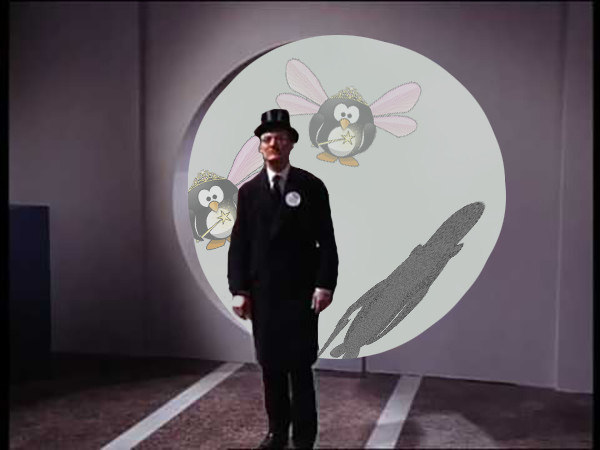
Looking at the video – I was able to slow it down enough and see the shadows – look at #2 as his shadow reveals!! and there seems to be some invisible fairytale puffins in the room as well.
Background process:
- Clipped out frame from The General video
- Imported into Photoshop
- Deleted background within circle cut out
- Used Eliptical marquee tool and rounded out edges of cut out to make it smoother
- selected with quick select tool
- Select>Modify>Contract 2 pixels
- Modify>Refine edge>smooth and contrast
- Cleaned up #2 with Select>Modify>Contract>Refine Edges
- Added gray background layer to fill hole
- Used Rochelle Lockwood aristocrat puffin – selected and filled with one color of gray and added noise to create shadow – copied and added to working file
- Used Transform>Perspective to create shadow
- Added layers with fairy puffins and lowered opacity
- Exported and saved as jpeg
AND THEN – my own mind’s critic kicks in! Needed the context of #6 and the setting! So added it in.  just went back and instead of erasing all in the circle – I lowered the opacity after cutting it out and then futzed with making it fit in the circle.